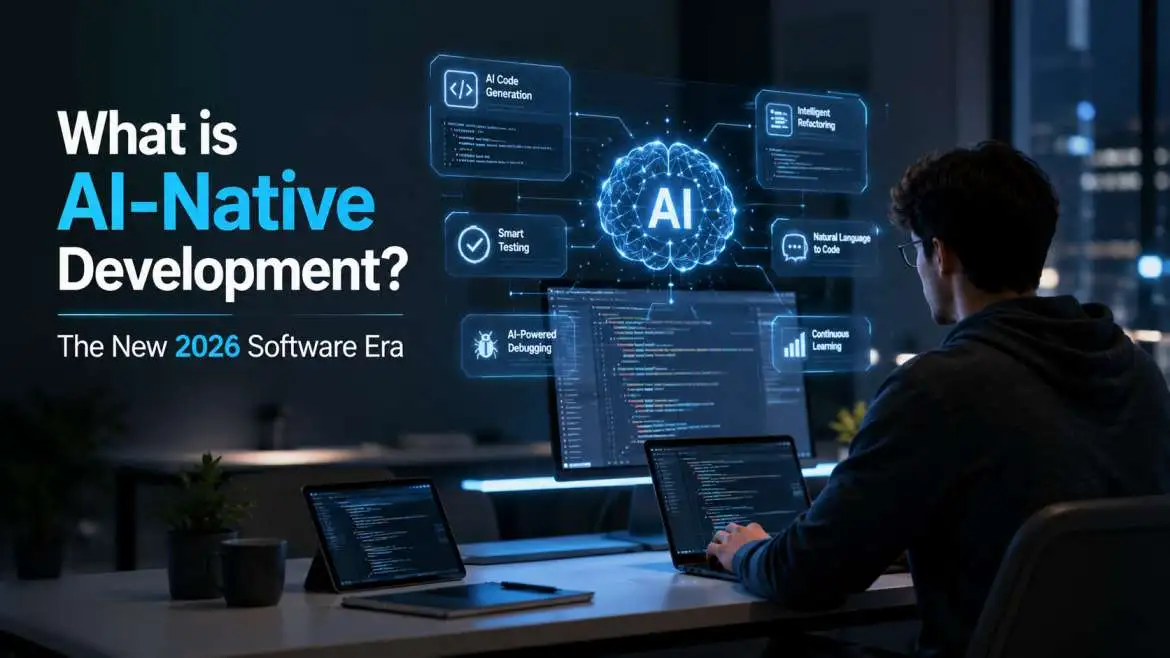
Building software has changed. In the past, we wrote code and then added a small AI chatbot on top. Today, we build software where the AI is the heart of the system. This is called AI-native development.
If you want to stay ahead in 2026, you need to understand how to build apps that think. This guide will explain what AI-native means, how it differs from old methods, and the best ways to build these smart tools.
What is AI-native development?
AI native development is a way of making software where artificial intelligence is part of the foundation. In an AI-native app, the AI is not just an extra feature. It is the core that makes the app work. If you took the AI out, the app would stop being useful.
Think of it like an electric car. An old car with an electric motor added later is just a hybrid. But a Tesla is built from the ground up to be electric. The battery, the shape, and the software all work together. AI-native software is the same. It is designed around the power of large language models (LLMs) and data from the very first day.
You may also read: 10 Ways AI is Transforming Scientific Research
AI-Native vs AI-First
Many people mix up these terms. Here is the simple difference:
- AI-First: This means a company or a team decides to use AI as their main tool. They try to put AI into every product they already have.
- AI-Native: This is about the product itself. The product was born because AI exists. It uses LLM-native design patterns to solve problems that old software could never touch.
Why the Old Way is Changing
In the old days, we used "deterministic" logic. This means if a user clicks button A, the app always does action B. It followed strict rules.
Developing AI-native software is different because it is "probabilistic." This means the app can make choices based on context. It doesn't just follow a list of rules; it understands what the user wants to achieve.
| Feature | Traditional Software | AI-Native Software |
| Logic | Fixed rules (If/Then) | Learning and Reasoning |
| Data | Stored in simple tables | Stored as "vectors" for meaning |
| Updates | Manually coded by humans | Learns from new data over time |
| User Input | Clicking buttons | Talking or writing naturally |
Core Pillars of AI-Native Software Development

To build a truly smart app, you need to use specific tools and methods. In 2026, these are the standard building blocks.
1. Agentic Workflows
An agentic workflow is when the AI acts like a worker, not just a search box. Instead of just answering a question, the AI can "plan" and "act."
For example, if you tell an AI agent to "plan a trip," it doesn't just give you a list of cities. It looks for flights, checks your calendar, finds hotels that fit your budget, and drafts the emails to book them. It uses agentic workflows to break a big goal into small steps.
2. RAG Architecture Best Practices
RAG stands for Retrieval-Augmented Generation. This is how you give an AI the right information.
AI models are like smart people who have read every book but don't know what happened in your company yesterday. RAG architecture best practices involve connecting the AI to your own private data.
- Data Ingestion: Clean your data so the AI can read it.
- Chunking: Break big files into small pieces.
- Retrieval: When a user asks a question, find the most relevant pieces of data.
- Generation: Send those pieces to the AI so it can give a factual answer.
3. Vector Database Integration
To make RAG work, you need a special kind of database. Traditional databases look for exact words. Vector database integration allows the app to search for "meaning."
If you search for "funny cats," a vector database will also find videos of "hilarious kittens" because it knows they mean the same thing. This is vital for developing AI-native software.
AI-First vs AI-Added Development
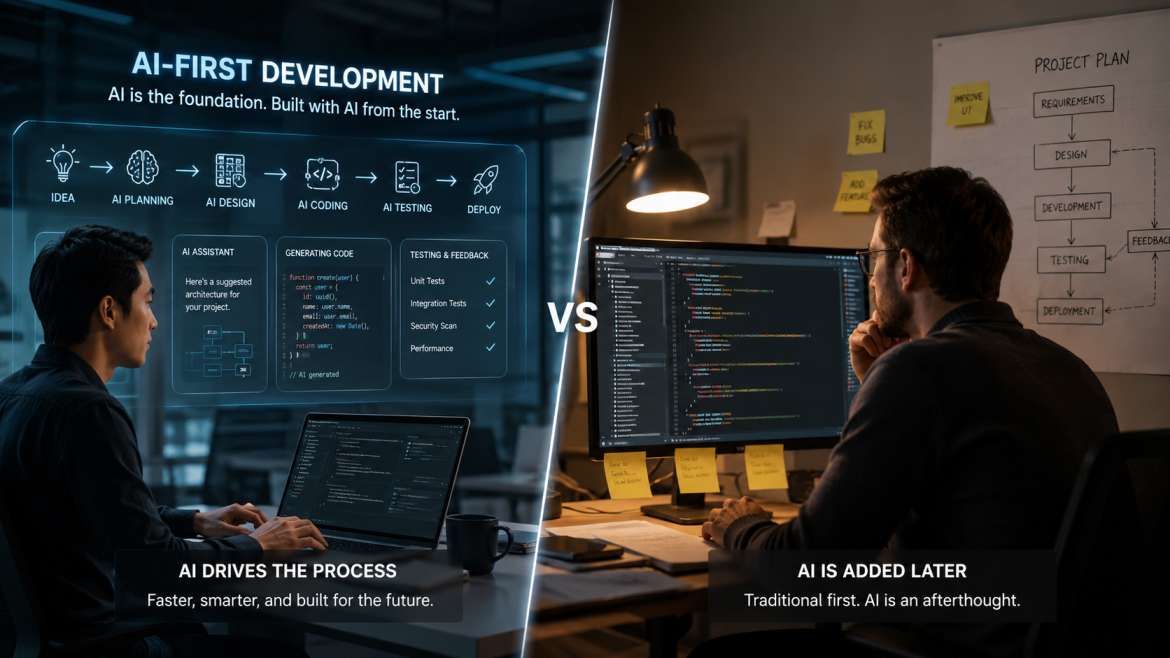
When you look at apps today, you see two types:
- AI-Added: This is like a word processor that adds a "summarize" button. It’s helpful, but the core of the app is still just a typewriter.
- AI-first vs AI-added development shows that AI-first apps change how we work. Instead of typing a document, you might tell the AI the main points, and it builds the entire document structure, finds the research, and suggests the tone.
Best Frameworks for AI Native Development
You don't have to build everything from zero. An AI-native development framework provides the tools to connect models, databases, and user interfaces.
- LangChain / LangGraph: These help you build complex chains of thought.
- LlamaIndex: This is the best for connecting your data to the AI (RAG).
- AutoGPT / CrewAI: These are used to create teams of AI agents that work together.
LLM-Native Design Patterns
When you design your app, you should use patterns that fit how AI works. These are called LLM-native design patterns.
- In-context learning for apps: This is the ability of an app to learn from what the user is doing right now. You don't need to retrain the whole AI. You just show it a few examples in the "prompt," and it learns instantly.
- Self-Reflection: The AI checks its own work. If it writes a piece of code, it runs a test. If the test fails, it fixes the code before showing it to the user.
- Chain of Thought: The AI explains its "thinking" steps. This makes the app more reliable and helps users trust the results.
How to Start Building AI-Native Apps
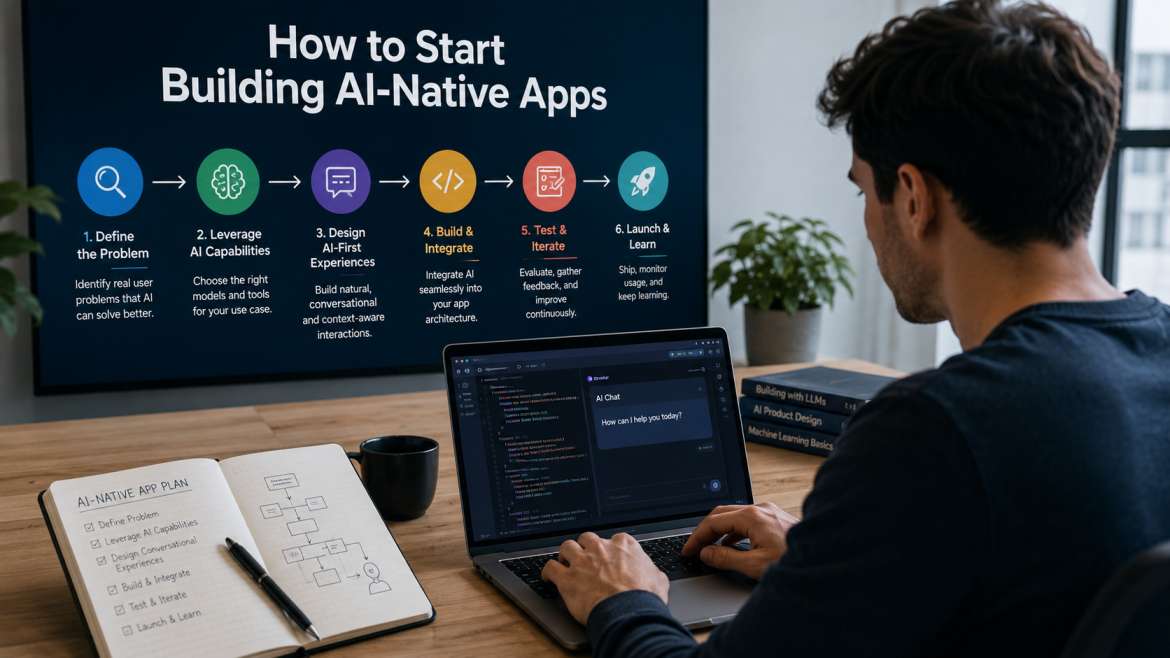
If you want to start AI-native software development, follow these steps:
Step 1: Identify the "Reasoning" Need
Don't use AI for things a simple button can do. Use it for tasks that require judgment, like sorting through thousands of emails or writing personalized code.
Step 2: Set up your vector database.
Choose a tool like Pinecone, Weaviate, or Milvus. This will hold your knowledge base.
Step 3: Create Agentic Workflows
Use an AI native development framework to define what the AI can do. Give it "tools" like the ability to search the web, read files, or send API calls.
Step 4: Focus on UX (User Experience)
AI-native apps should be easy to use. Instead of complex menus, give users a simple way to talk to the app. But also give them "guardrails" so they know what the AI can and cannot do.
Challenges in AI Native Development
It is not always easy. You will face a few common problems:
- Hallucinations: Sometimes the AI makes things up. Using RAG and self-reflection patterns helps stop this.
- Cost: Running big AI models can be expensive. Developers now use smaller, faster models for easy tasks and save the big models for hard logic.
- Latency: AI can be slow. Good AI native development involves showing the user that the AI is "thinking" or giving parts of the answer as they are ready.
The Future: What to Expect After 2026
The world of AI native development is moving fast. Soon, we won't even call it "AI software." It will just be "software."
We will see more agentic workflows where software talks to other software. Your calendar will talk to your travel app, which will talk to your bank, all through AI agents.
By following RAG architecture best practices and using in-context learning for apps, you can build tools that don't just sit there. You can build tools that help, learn, and grow.
Summary Checklist for Developers
- Is the AI central to the app's value? (AI-native)
- Does the app use a vector database?
- Are you using agentic workflows for complex tasks?
- Have you implemented RAG architecture best practices?
- Does the UI support natural language and in-context learning?
Building for the AI era requires a new mindset. It’s not about writing every line of logic anymore. It’s about building a system where the AI can reason its way to a solution. Start small, focus on the data, and always keep the user’s goal at the center of your design
Conclusion: The Future of AI Native Development
The shift toward AI-native development marks a major change in how we think about digital tools. We are moving away from static programs that wait for commands and moving toward active systems that can reason through problems. By using AI-native software development principles, creators can build apps that feel more like partners than tools.
Whether you are deciding between AI-first vs. AI-added development or building complex agentic workflows, the goal remains the same: to create a seamless experience where the technology understands the user. Success in this new field requires mastering RAG architecture best practices and ensuring your vector database integration is solid. As we look ahead, the developers who embrace LLM-native design patterns will be the ones defining the next generation of the internet.
Frequently Asked Questions (FAQ)
1. What is the main benefit of AI native development?
The biggest advantage of AI-native development is the ability to handle "unstructured" tasks. While traditional apps need specific data and clear rules, AI-native apps can understand human language, identify patterns in images, and make logical decisions based on the context of a conversation.
2. How do AI-native vs. AI-first differ in business strategy?
In the debate of AI-native vs. AI-first, the difference lies in the starting point. An AI-first company prioritizes using AI across all its operations. An AI-native product, however, is a specific piece of software designed so that its core logic relies entirely on artificial intelligence to function.
3. Why is RAG architecture best practice important for modern apps?
Following RAG architecture best practices is essential because it prevents the AI from "hallucinating" or making up facts. By connecting the AI to a reliable, private data source, the app can provide accurate, up-to-date answers that are specific to a user’s needs or a company’s private records.
4. What role does in-context learning for apps play?
In-context learning for apps allows the software to adapt to a user's style or specific instructions without needing to change the underlying code. By providing examples within the "prompt," the developer helps the AI understand exactly how it should behave in that specific moment.
5. How do I choose an AI-native development framework?
Choosing the right AI-native development framework depends on your goals. If you are focused on moving data and managing documents, tools like LlamaIndex are great. If you are focused on creating autonomous "agents" that can use search engines and calculators, frameworks like LangChain or CrewAI are better suited for the task.